Bank Statement PDF to P&L in 3 Minutes
Upload your PDF bank statement. AI instantly parses every transaction, classifies them by Chart of Accounts, and generates a Profit & Loss report — no accounting degree required.
From PDF to Financial Clarity
StatementUp handles the entire workflow — from raw bank statement to categorized P&L — so you can focus on running your business.
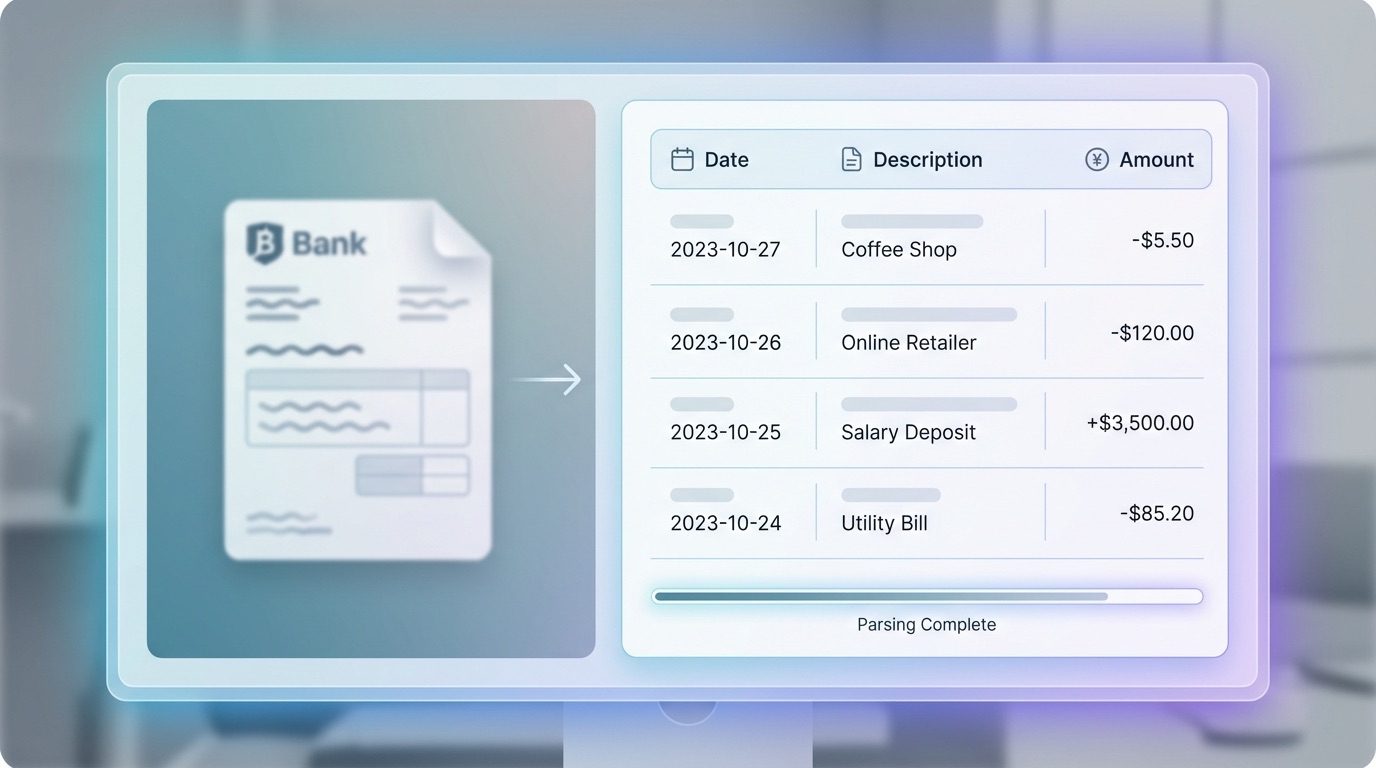
AI-Powered PDF Parsing
Drop any bank statement PDF. Our AI reads every transaction — dates, descriptions, amounts — no matter which bank it's from.
Any Bank, Any Format
Works with Chase, Bank of America, Wells Fargo, and hundreds of other banks.
Accurate Extraction
AI reads messy PDFs that spreadsheet imports miss — including multi-line descriptions and running balances.
Instant Preview
Review parsed transactions before proceeding. Edit or remove anything that doesn't look right.
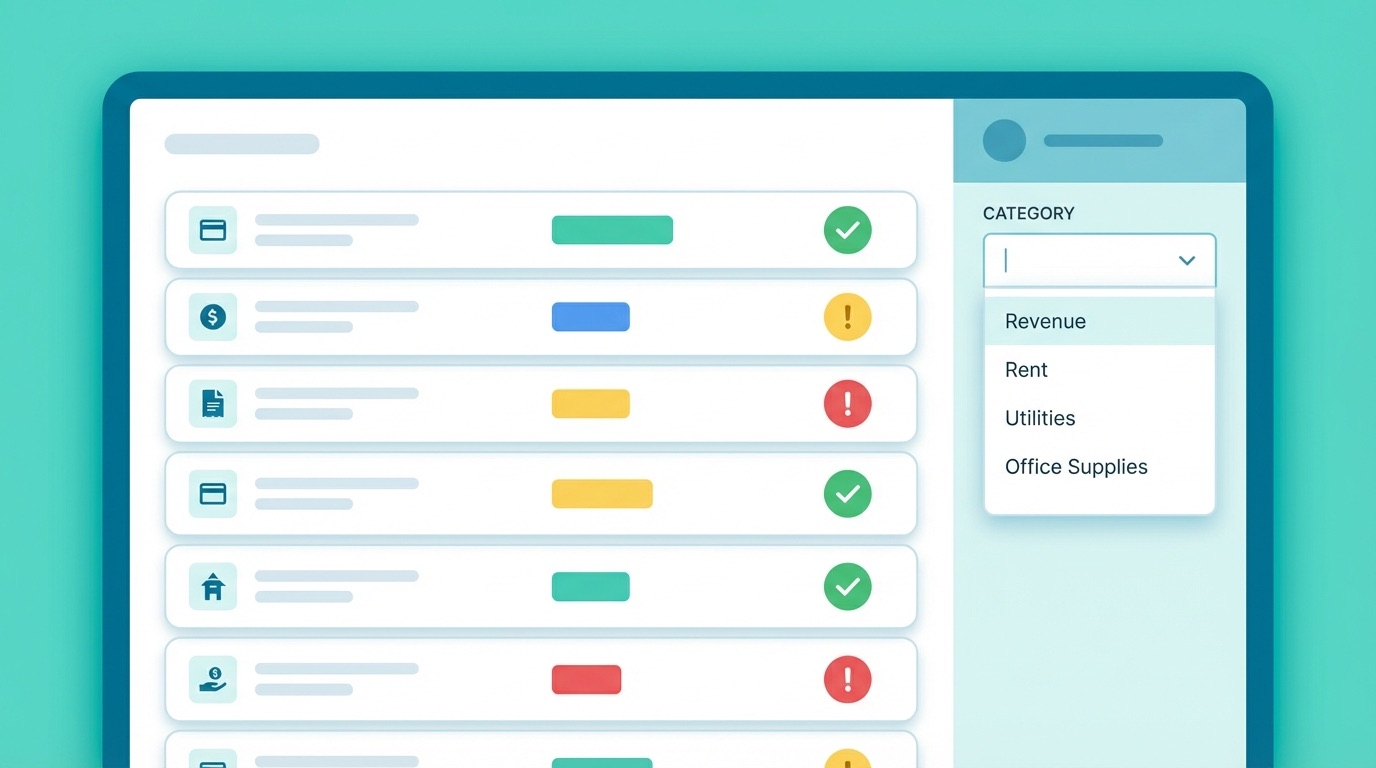
Smart Transaction Classification
AI automatically maps each transaction to the right Chart of Accounts category with confidence scores — so you know where to double-check.
Industry Templates
Choose from General SMB or Real Estate templates — each with the right categories for your business.
Confidence Indicators
High, medium, and low confidence flags help you focus on the transactions that need your attention.
One-Click Override
Disagree with AI? Change any category with a dropdown — your override is saved instantly.
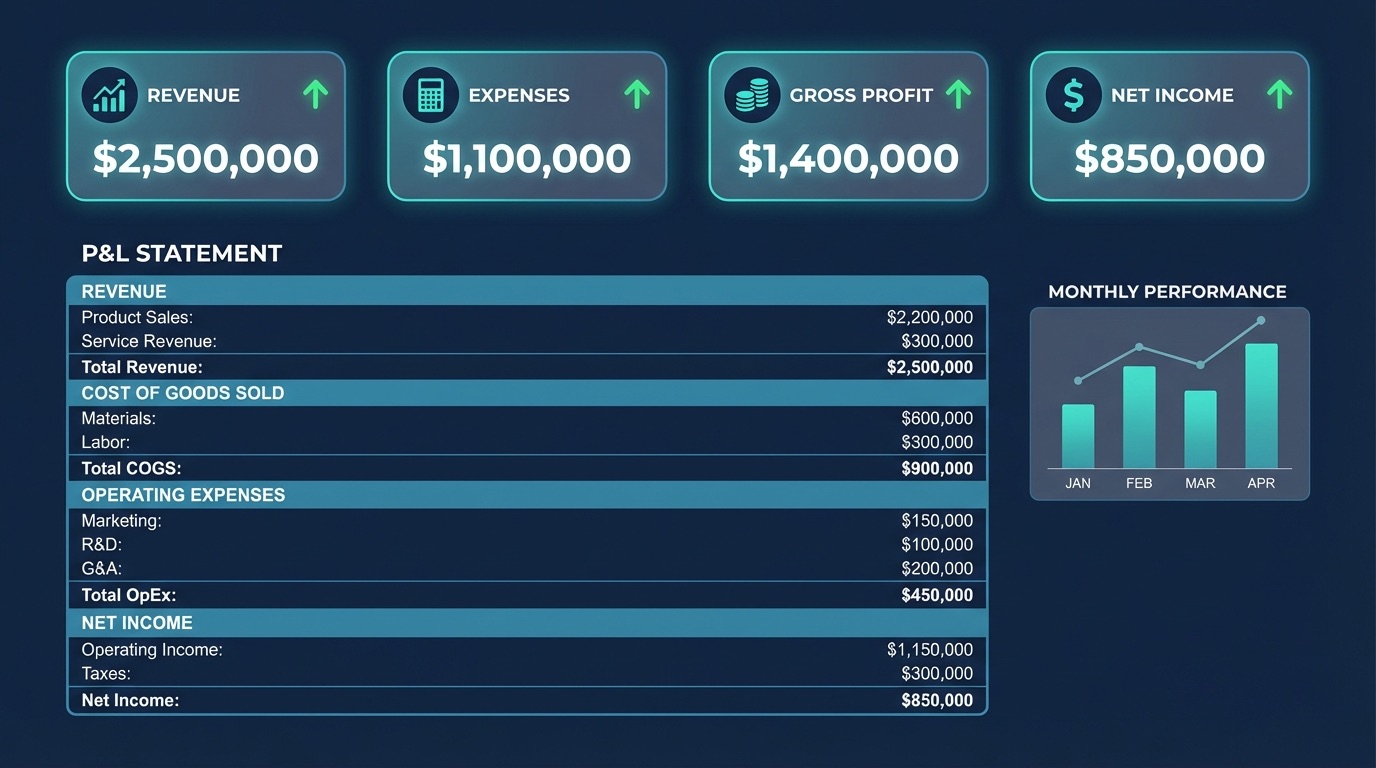
Instant P&L Reports
One click generates a complete Profit & Loss statement — Revenue, COGS, Operating Expenses, and Net Income — ready for your accountant or tax filing.
Standard P&L Format
Revenue, Cost of Goods Sold, Gross Profit, Operating Expenses, Operating Income, and Net Income.
Visual Summary
Key metrics at a glance — Revenue, Gross Profit, Total Expenses, and Net Income cards.
Report History
Access all your past reports anytime. Compare month-to-month performance.
From Statement to Report in 3 Steps
No spreadsheets. No manual data entry. No accounting knowledge needed. Just upload, review, and generate.
1. Upload Your Bank Statement
Drag and drop your PDF bank statement. StatementUp accepts statements from any major bank — Chase, BofA, Wells Fargo, PNC, and more. Your file is securely stored and never shared.
2. AI Classifies Transactions
Our AI reads every transaction and assigns it to the right Chart of Accounts category — rent, utilities, revenue, supplies, and more. Review the results and override anything that needs correction.
3. Generate Your P&L
Click one button to generate a complete Profit & Loss statement. See your Revenue, Expenses, Gross Profit, and Net Income instantly. Share it with your accountant or save it for tax time.
Built for SMB Owners
Whether you run a retail shop, consulting firm, rental property, or freelance business — StatementUp gives you the financial visibility you need without the complexity of traditional accounting software.
Frequently Asked Questions
Common questions about StatementUp and how it helps small business owners understand their finances